> For the complete documentation index, see [llms.txt](https://ola.meajuda.cc/llms.txt). Markdown versions of documentation pages are available by appending `.md` to page URLs; this page is available as [Markdown](https://ola.meajuda.cc/delivery-salao/configuracoes-gerais/desabilitar-uso-simultaneo-de-cupom-e-resgate-de-premio.md).
# Desabilitar uso simultâneo de cupom e resgate de prêmio
## O que é?
Ativar essa opção bloqueia o uso de cupom e resgate de prêmio simultaneamente em uma mesma compra. Assim, o cliente precisará escolher entre usar o cupom ou resgatar o(s) prêmio(s) que deseja.
## Como ativar
Acesse o menu **Configurações** até encontrar a opção abaixo. Basta ativar o botão:
## Como funciona
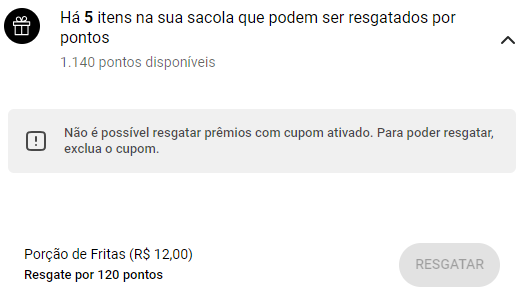
Ao tentar resgatar um prêmio com cupom ativado, o cliente verá essa mensagem, e não será possível prosseguir o resgate:
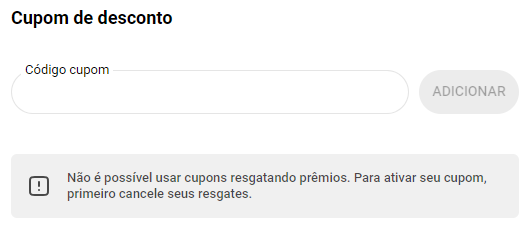
O bloqueio ocorrerá no campo de cupons, caso o cliente já tenha um resgatado um ou mais produtos: