> For the complete documentation index, see [llms.txt](https://ola.meajuda.cc/llms.txt). Markdown versions of documentation pages are available by appending `.md` to page URLs; this page is available as [Markdown](https://ola.meajuda.cc/marketing-fidelidade/marca-lojas-e-acessos/parametros-de-loja-aviso-de-pontuacao-suspeita.md).
# Parâmetros de loja: aviso de pontuação suspeita
Crie um aviso de pontuação suspeita no programa de fidelidade
Acesse o menu **Marca, lojas e acessos** e selecione a opção **Lojas**.

Selecione a loja que deseja editar:

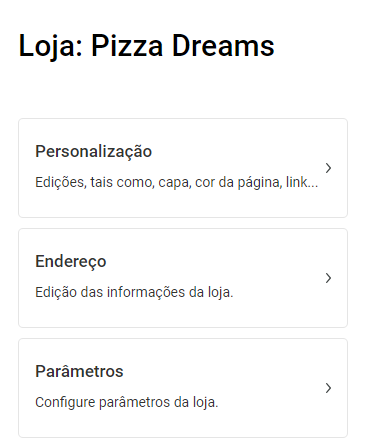
Na tela seguinte selecione a opção **Parametros:**
Nesta tela você pode estipular um limite de pontos para que uma atividade seja considerada suspeita, além de um e-mail para o qual será enviado um alerta de verificação, com os dados daquela atividade: